Pick a place
Search for an address or drop a pin on the map. Make the area as small as a stop or as wide as 1 km.
Set an alarm on where you're going. WayWaker rings when you get there, so you can rest on the bus or train and still get off at the right stop.
Free · No account · No ads
No timers to guess. WayWaker watches where you are and does the waking up.
Search for an address or drop a pin on the map. Make the area as small as a stop or as wide as 1 km.
Ring when you get there, or when you go. Add a schedule so it only rings on the days and hours you need.
WayWaker keeps watch in the background, even with the app closed, and rings loudly when you arrive.
Everything you need to stop worrying about missing your stop, and nothing you don't.
Ring when you enter an area, like your stop or home, or when you leave one, like the office.
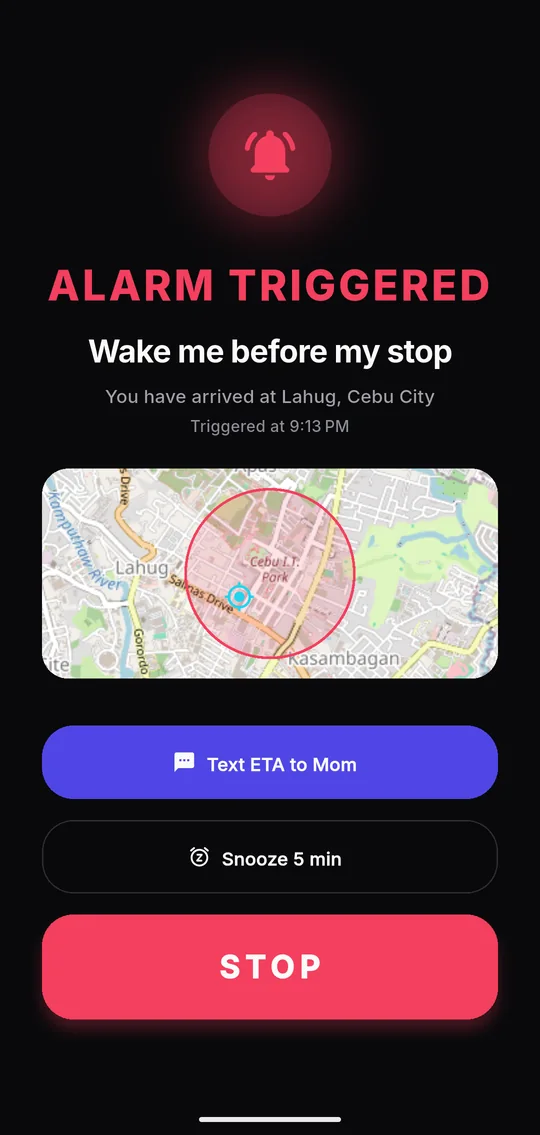
A full-screen alarm with a looping sound that plays at your alarm volume, even on vibrate.
Every day, weekdays, weekends, once, or dates you pick, with an optional hours window.
When an alarm rings, one tap opens a text with your ETA, ready to send to the people you chose.
Smart GPS checks less often when you're far from every alarm and more often as you get close.
GPS doesn't need data, so alarms ring offline. Maps you've browsed are cached on your phone.
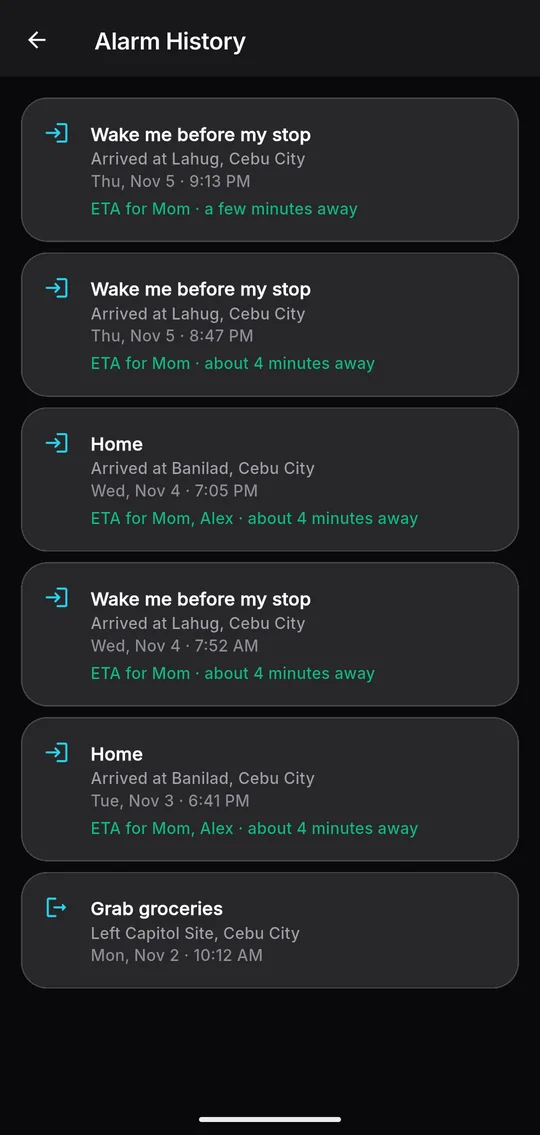
A live map, a list of your places and a history of every ring.
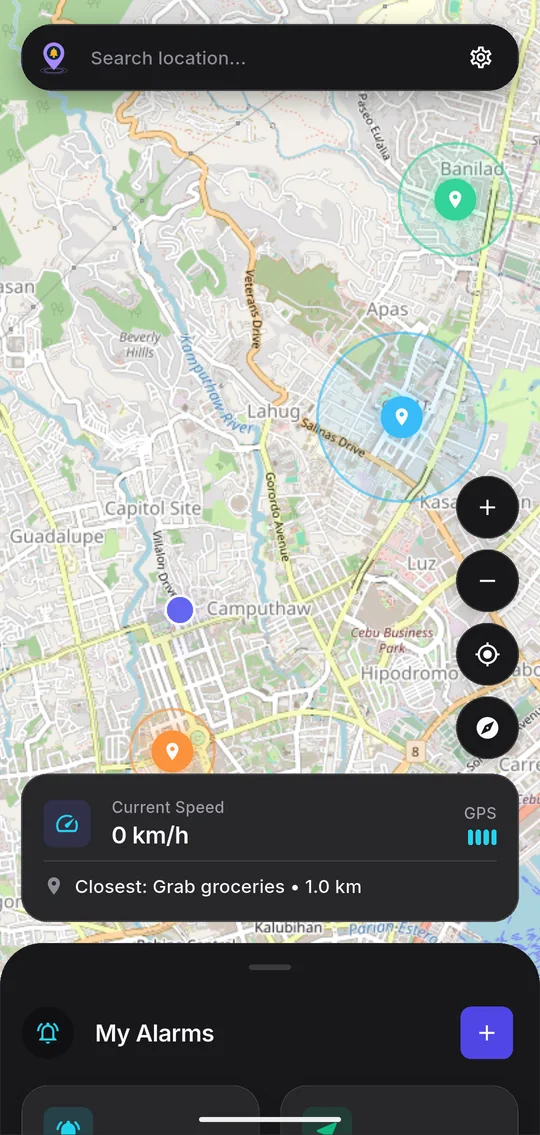
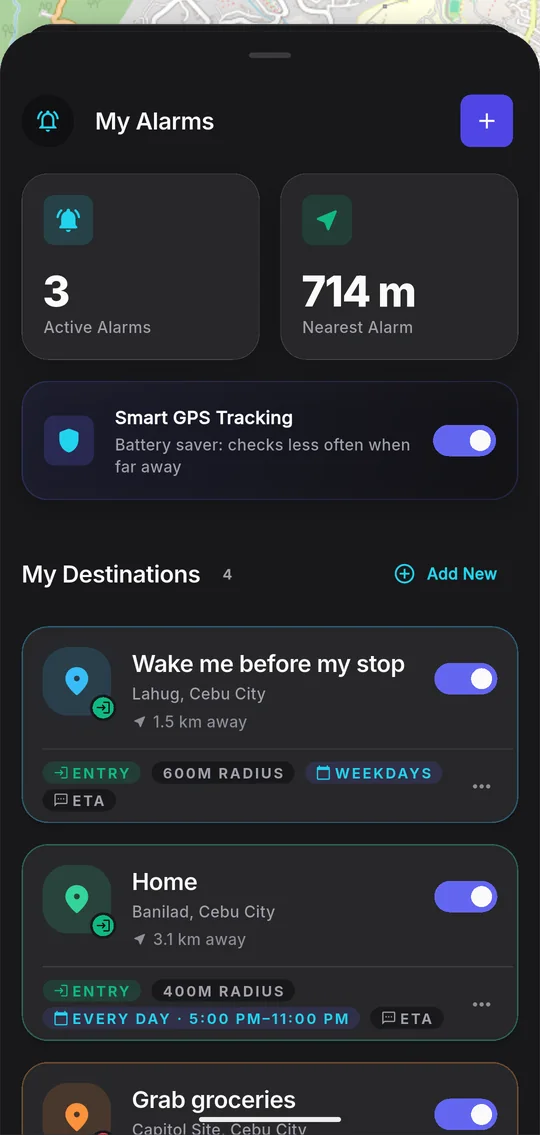
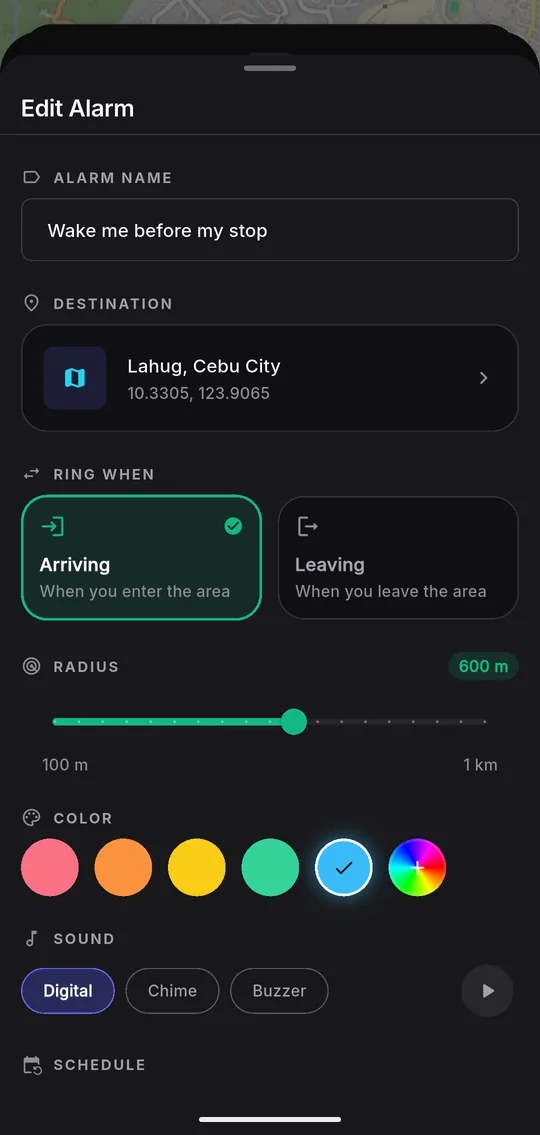
Choose Arriving to wake up before your stop, or Leaving for a nudge as you head out. Set the area from 100 m to 1 km, so a fast bus gives you enough warning.
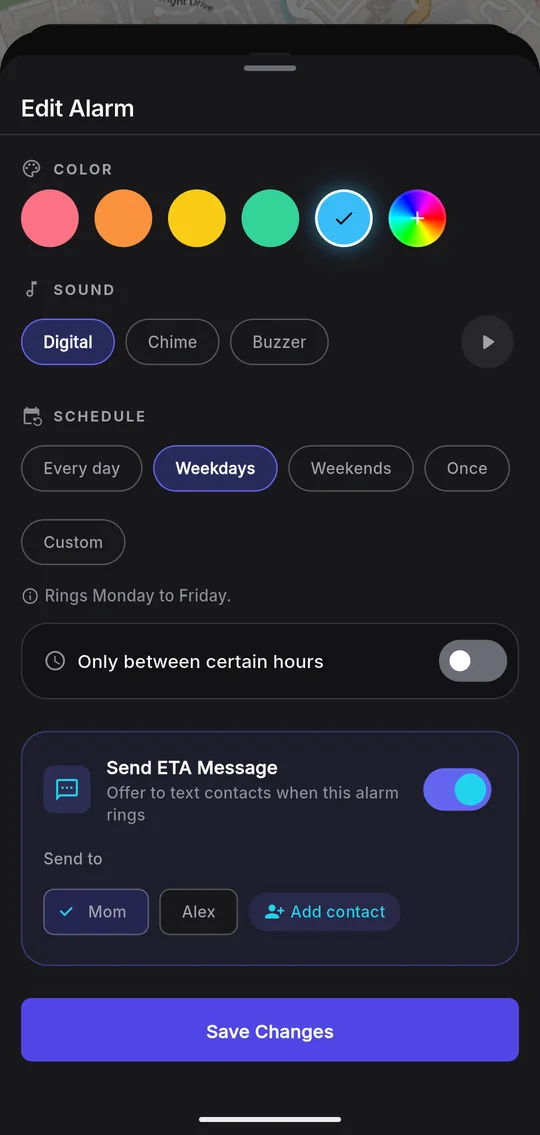
A commute alarm shouldn't ring on Sunday. Pick the days, then narrow it to the hours you travel.
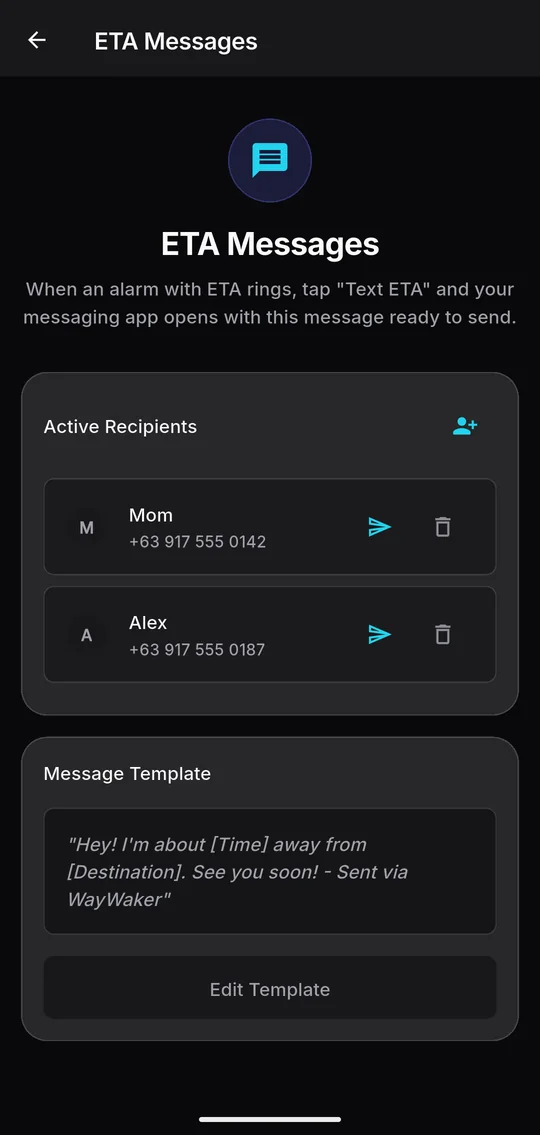
Turn on ETA for an alarm. When it rings, tap Text ETA and your messaging app opens with the message ready: how far away you are and where you're headed, in your own words.
You send it yourself from your own messaging app, so WayWaker never needs SMS access. Your carrier's SMS rates apply.
WayWaker checks your position against your alarms on your phone. Your places, contacts and history are stored on the device, never on our servers. We don't have any.
Yes. On Android, WayWaker runs a small background service with a notification while any alarm is on, so it keeps watching your location after you close the app or restart your phone.
That's what lets an alarm ring with the app closed and your screen off. Without it, WayWaker can only check your location while it's open. Your position is compared with your alarms on the phone and isn't sent anywhere.
On Android it uses the alarm volume, like a clock alarm, so it rings on vibrate and silent. Keep your alarm volume up. If Do Not Disturb blocks alarms on your phone, allow them for WayWaker.
Less than you might expect. Smart GPS checks rarely while you're far from every alarm and more often as you get close. The service stops on its own when no alarm is on.
GPS works without data, so alarms still ring offline. The map and place search need a connection, but areas you've browsed are cached. Downloading whole areas for offline use is planned for Premium.
No. When an alarm with ETA rings, tap Text ETA and your messaging app opens with the message and contacts filled in. Nothing is sent until you tap Send there.
WayWaker is on Android first. An iPhone version is on the way; the App Store button will go live when it is.
Yes. You can have 3 alarms on at once. A Premium plan is planned with unlimited alarms and offline map downloads, and everything you use today will stay free.
Set your first location alarm in under a minute.